# GraffitiEditor
Class Inherits GraffitiWebUIControl
## About
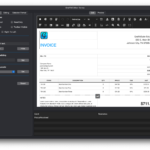
GraffitiEditor is an advanced HTML WYSIWYG editor. Supports many HTML standard elements including images, video, audio, tables and much more. Completely customizable toolbar, and beautiful Light/Dark mode auto-switching.
## Preview
Previous
Next
## Compatibility
### Framework API Version
| 1.0 | 2.0 |
| :---: | :---: |
| False | True |
### Console
| 32-Bit | 64-Bit |
| :---: | :---: |
| True | True |
### Desktop
| 32-Bit | 64-Bit |
| :---: | :---: |
| True | True |
### iOS
| 32-Bit | 64-Bit |
| :---: | :---: |
| False | True |
### Web
| 32-Bit | 64-Bit |
| :---: | :---: |
| True | True |
## Enumerations
| Name | Value | Description |
| --- | :---: | --- |
| HorizontalRuleStyles | Solid <br > Dotted <br > Dashed | Supported horizontal rule display styles. |
| Languages | EN <br > CKB <br > DA <br > DE <br > ES <br > FR <br > HE <br > IT <br > JA <br > KO <br > LV <br > NL <br > PL <br > PT <br > RO <br > RU <br > SE <br > UA <br > ZH | Support language codes. |
| Views | WYSIWYG <br > Code | Supported views. |
## Event Definitions
| Name | Parameters | Return Type | Description |
| --- | :---: | :---: | --- |
| Changed | (None) | (None) | Raised when the content has been changed by the user. |
| CustomButtonPressed | button as GraffitiEditorToolbarButton | (None) | Raised when a GraffitiEditorToolbarButton that has been added to the toolbar is pressed. |
| CustomMenuSelected | menu as GraffitiEditorToolbarMenu <br> value as String | (None) | Raised when the user selects an item from a GraffitiEditorToolbarMenu that has been added to the toolbar. |
| FocusLost | (None) | (None) | (None) |
| FocusReceived | (None) | (None) | (None) |
| Ready | (None) | (None) | Raised when the component is fully displayed and ready. |
| SaveButtonPressed | (None) | (None) | Raised when the user clicks the Save button, if the Save button is currently on the toolbar. |
| SelectionChanged | (None) | (None) | Raised when the selection range has changed. |
| ViewChanged | (None) | (None) | Raised when the user switches between the WYSIWYG and Code views. |
## Methods
| Name | Parameters | Return Type | Description |
| --- | :---: | :---: | --- |
| Append | html as String | (None) | Appends the provided HTML to the content of the editor. |
| HTMLInline | (None) | String | Returns the HTML content with CSS inline. |
| Insert | html as String | (None) | Inserts the provided HTML as the current selection point of the editor. |
| InsertAudio | url as String | (None) | Inserts an AUDIO element at the current selection point of the editor. |
| InsertHorizontalRule | style as HorizontalRuleStyles | (None) | Inserts an HR element at the current selection point of the editor. |
| InsertImage | f as FolderItem | (None) | Inserts the specified image at the current selection point of the editor. |
| InsertImage | url as String <br> altText as String = "" <br> width as Integer = -1 <br> height as Integer = -1 | (None) | Inserts the specified image at the current selection point of the editor. |
| InsertLink | url as String <br> text as String <br> newWindow as Boolean = True <br> relationship as String = "" | (None) | Inserts a link at the current selection point of the editor. |
| InsertTable | rows as Integer = 2 <br> columns as Integer = 2 <br> hasHeader as Boolean = False | (None) | Inserts a table at the current selection point of the editor. |
| InsertVideo | url as String | (None) | Inserts a VIDEO element at the current selection point of the editor. Attempts to automatically parse YouTube and Vimeo links. |
| SetFocus | (None) | (None) | (None) |
| Stylesheet | (None) | String | Returns the default stylesheet. |
| ToPage | PageTitle as String <br> includeStyleBlock as Boolean = False <br> additionalCSS as String = "" | String | Creates a valid HTML page complete with headers using the current content of the editor. |
## Properties
| Name | Type | Default Value | Description |
| --- | :---: | :---: | --- |
| Alert | GraffitiEditorAlert | (None) | Access to Alert functionality. |
| AllowStyleChangesOnly | Boolean | (None) | Denies attempts to editor text content by using the keyboard or mouse. |
| CustomCSS | String | (None) | Custom CSS used in display. |
| Enabled | Boolean | (None) | Determines whether the user can interact with the component's toolbar or change its contents. |
| Fonts | GraffitiEditorFonts | (None) | Access to font management functionality. |
| History | GraffitiEditorHistory | (None) | Access to editor history functionality. |
| HTML | String | (None) | Current value of the editor. |
| Locale | Languages | (None) | Language used to display the toolbar tooltips. |
| Padding | Integer | (None) | Pixel size of the editor's padding. |
| ReadOnly | Boolean | (None) | Determines whether the user can interact with the component's toolbar or change its contents without significantly altering its appearance. |
| RTL | Boolean | (None) | Right-to-left display. |
| Selection | GraffitiEditorSelection | (None) | Access to Selection functionality. |
| SpellCheck | Boolean | (None) | When True, spell checking will be enabled on the component. |
| SpellCheckLanguage | String | (None) | Locale to use for checking spelling. |
| State | GraffitiEditorState | (None) | Access to state functionality. |
| Styles | GraffitiEditorStyles | (None) | Access to custom Styles functionality. |
| Templates | GraffitiEditorTemplates | (None) | Access to Templates functionality. |
| Toolbar | GraffitiEditorToolbar | (None) | Access to Toolbar functionality. |
| View | GraffitiEditor.Views | (None) | Current editor view. |
## Examples
### Setting Font Defaults
Font settings are stored in the GraffitiEditorFonts class that is accessible in the Fonts property of the GraffitiEditor instance. Changes to these settings can be made at any time, but it is recommended that you do so in the Opening event.
```wp-block-preformatted
me.Fonts.DefaultFace = "Verdana"
me.Fonts.DefaultSize = 23
me.Fonts.DefaultLineHeight = 1.25
```
